








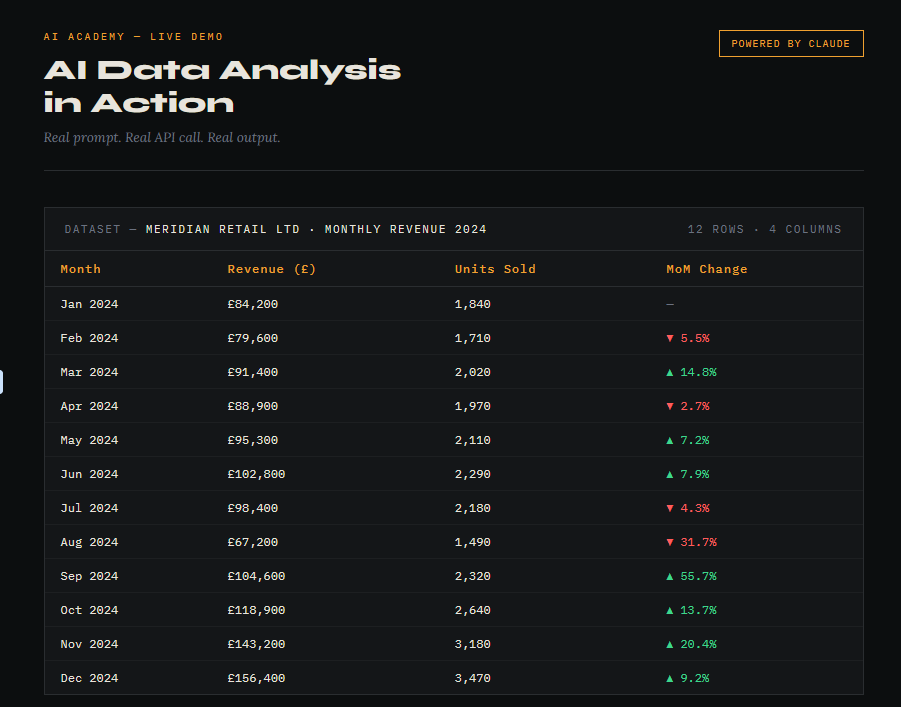
Learning how to analyse data with AI is one of the most practical skills a professional can pick up in 2025 but most people are doing it wrong.
Both ChatGPT and Claude can read your spreadsheets directly and return charts, summaries, and pattern analysis in seconds. The difference is simply in how you ask.
STEP 1: Choose your tool — and know the difference
Go to chat.openai.com (ChatGPT) or claude.ai (Claude). Both support file uploads, but they work very differently under the hood.
ChatGPT uses a built-in Code Interpreter — it actually runs Python behind the scenes to process your data and render charts as image files you can download.
Claude reads and reasons over your data directly, returning written analysis, tables, and — if you’re specific — code you can run yourself to generate visualisations.
Which to use? If you want downloadable chart images immediately, use ChatGPT. If you want deeper narrative analysis or want to interrogate your data conversationally, use Claude.
STEP 2: Prepare and upload your file
Drag your spreadsheet into the chat window or use the attachment icon. Both tools accept .xlsx and .csv formats.
Before uploading, do a quick sense-check: clean column headers, no merged cells, no blank rows at the top, dates in a consistent format. Garbage in, garbage out — even with AI.
Pro tip: export a clean CSV rather than uploading a complex multi-tab Excel file. Single-sheet, clear headers gives you faster and more accurate analysis every time.
STEP 3: Write the right prompt
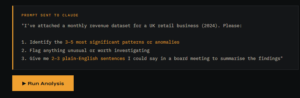
The standard prompt you’ll see shared online is fine as a starting point:
“Give me a summary of key insights and patterns from the data attached. Also generate visual charts that visualise these key patterns and trends.”
But here’s what actually gets you something useful:
“I’ve attached a [monthly sales / customer / financial] dataset. Please: 1) Identify the 3–5 most significant patterns or anomalies. 2) Flag anything that looks unusual or worth investigating. 3) Generate charts for the top trends — label axes clearly. 4) Give me 2–3 plain-English sentences I could say in a meeting to summarise the findings.”
That last instruction — the plain-English meeting summary — is what separates people who use AI as a tool from people who use it as a magic button.
CHATGPT VS CLAUDE — SIDE BY SIDE
ChatGPT: Runs actual Python code on your data. Produces downloadable chart images (PNG). Better for “just give me the charts”. Can loop back and refine charts on request. Can struggle with very large files.
Claude: Reads and reasons over data natively. Stronger narrative, written analysis. Better for “explain what this means”. Returns chart code (Python/JS) to run yourself. Excellent for follow-up questions. Can handle large context in one go.
Neither is universally better. Use both if you want the fastest chart and the deepest explanation.
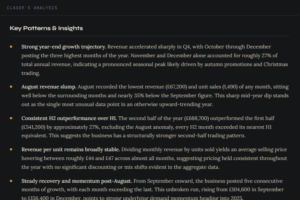
STEP 4: What most people miss
Don’t just download and forward the chart. Check it first. AI-generated charts occasionally mislabel axes, miscalculate aggregates, or choose an inappropriate chart type. Always sense-check against the raw numbers before sharing.
Be specific about what you want to learn. “Analyse this data” is the weakest possible prompt. “Show me month-on-month revenue trend and flag any months where growth dropped below 5%” is the version that earns you credibility in the room.
Treat it as a conversation, not a one-shot. After the initial output, ask follow-up questions: “Why might the spike in March have happened?” or “Reformat this as a bar chart grouped by region.” The second prompt is often where the real value is.
Mind what you upload. Both tools send your data to external servers. Don’t upload files containing personal data, client information, or anything commercially sensitive without checking your organisation’s data policy first.
CONCLUSION
Data analysis in AI tools is genuinely useful — but only for people who treat the prompt as seriously as the output. The people getting the most from these tools aren’t the most technical. They’re the most specific.
Start with a clean dataset, an upgraded prompt, and one clear question you actually need answered. Everything else follows from that
FAQ SECTION
Q: Can I upload an Excel file to ChatGPT or Claude?
A: Yes. Both ChatGPT and Claude accept .xlsx and .csv file uploads directly in the chat window. For best results, export a clean single-sheet CSV with clear column headers before uploading.
Q: What is the difference between ChatGPT and Claude for data analysis?
A: ChatGPT uses a built-in Code Interpreter to run Python on your data and produce downloadable chart images. Claude reads and reasons over data natively, returning stronger written analysis and pattern explanations. Use ChatGPT if you need instant charts; use Claude if you need deeper interpretation.
Q: Is it safe to upload business data to ChatGPT or Claude?
A: Both tools send uploaded data to external servers. You should not upload files containing personal data, client information, or commercially sensitive material without first checking your organisation’s data policy and the platform’s data handling terms.
Q: What is the best prompt to analyse data with AI?
A: A strong prompt asks the AI to identify 3–5 key patterns or anomalies, flag anything unusual with a hypothesis, generate labelled charts, and provide 2–3 plain-English sentences suitable for a meeting summary. Specific prompts consistently return more useful results than vague requests like “analyse this data”.
Q: Can AI analyse data without coding knowledge?
A: Yes. Both ChatGPT and Claude allow non-technical users to analyse spreadsheet data using plain English prompts. No coding required. ChatGPT handles the code internally and returns finished charts; Claude returns written analysis you can act on directly.